
MU Helper
Settings and launch
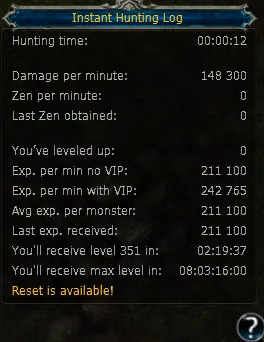
Open settings, save your setup, then launch the helper. The question-mark button opens the hunting log.


Step 1 — Range and healing
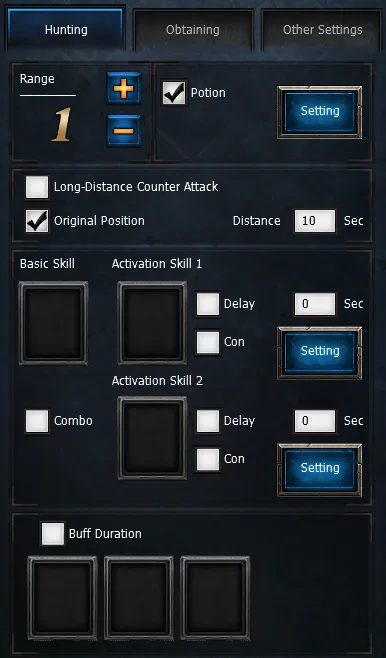
Start with a hunting radius of 2–4 cells. Configure return to the starting spot. Enable potions and choose the HP threshold; save the healing setup.


Step 2 — Skills and combo
Assign attack skills and their switching delay. For combos, choose the correct sequence. Configure skill activation conditions, then assign buffs for automatic renewal.


Step 3 — Obtaining
Set the pickup radius. Choose all nearby drops or selected items. Add names to the extra-item filter; the reference allows 13 entries. Automatic repair costs more than a blacksmith. Save settings before launching.


 Loading...